Getting started with REACT JS

Hello my name is peter omeke ikechukwu i am a frontend developer and a Technical writer. I enjoy fixing bugs and open to learn new things
REACT JS is a javascript framework used for building frontend Applications. REACT JS is a tool used by software Developers to build UI components. It was developed by Facebook software Engineer Jordan Walke. The latest version of REACT JS when this technical piece was written is REACT 18, which was released in March 2022.
What makes REACT unique is its simplicity, and component-based, and it makes our code base less complex and reusable.
Setting up a REACT JS environment and creating our first REACT project
Step 1: We should have a text editor installed on our Computer. we have a lot of text editors such as Sublime Text, Vscode, vim, atom, emacs, etc. but I recommend using Vscode. after installing vscode we can set it up by installing extensions needed to make our work production easier. we can proceed to install ES7 + React/Redux/React-Native snippets from the Vscode marketplace.
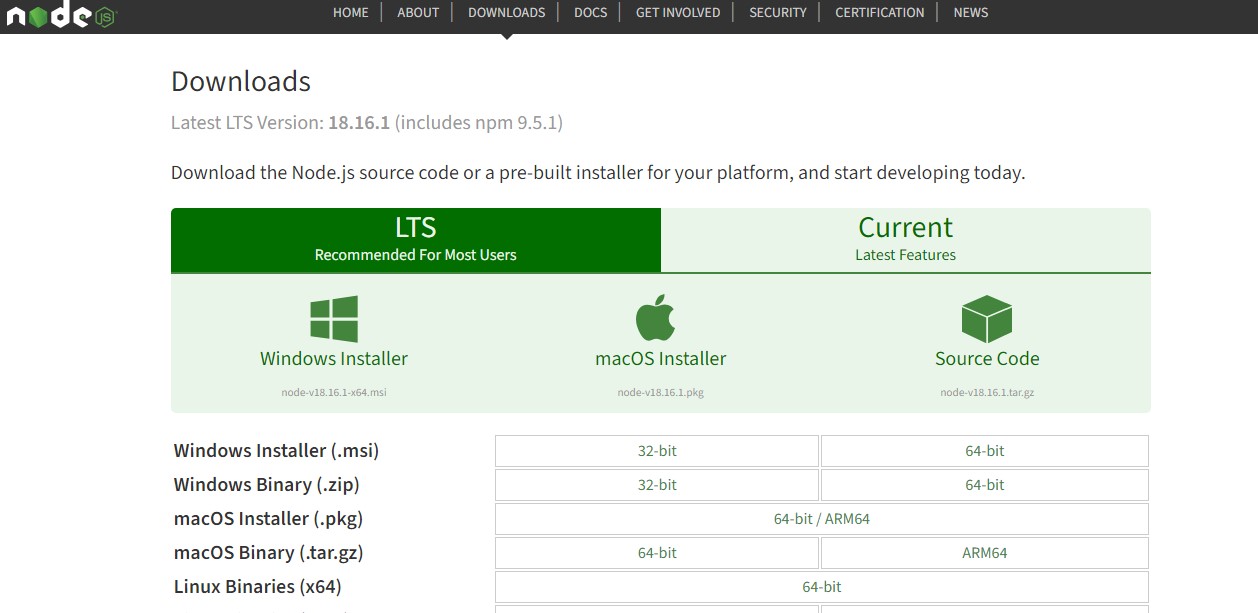
Step 2: We download Node.js on our computer. we go to Google and search Node.js download, we should download the latest version of Node.js.
step 3: Locate our Terminal in our Vscode and Run this command to create our first React application. npx create-react-app my-react-app.The my-react-app should be given a name that suits our projects. we can also create a new REACT application by using npm. npm create-react-app my-react-app. Here instead of using npx we can use npm.
npm: is the standard package manager for Node.js. In 2022 over 2.1 million packages were reported to be listed in the npm registry, which makes it the biggest single language code repository. It started as a way to download and manage dependencies of Node.js packages, making it a tool to be used by almost all frontend developers. running the npm command will install all create-react-app packages, which we will use to create our applications.
npx: we use npx to create a new react application without actually installing the package.
The snippet below shows us how our code will look after creating react app by using the command discussed.
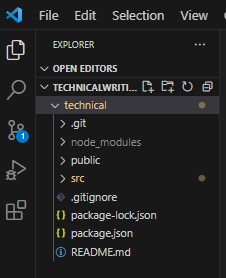
After creating our react App. we will have a lot of file structure. The structure of the files will be discussed in our subsequent blog post. We can also write the whole file code manually but it is not recommended because there might be bugs and it will be very tedious. So we should use the command method.
Happy Coding see you in my next blog post!!.


